Free to download No account required

WiFi analyzer & heatmap Your WiFi dies
in one room.
Signl names it.

Signl checks download speed and latency where you actually use WiFi, then maps the rooms you measured. See the test point, Mbps and ping behind the weak connection.

Free to download iPhone, iOS 18 or later Works with or without LiDAR

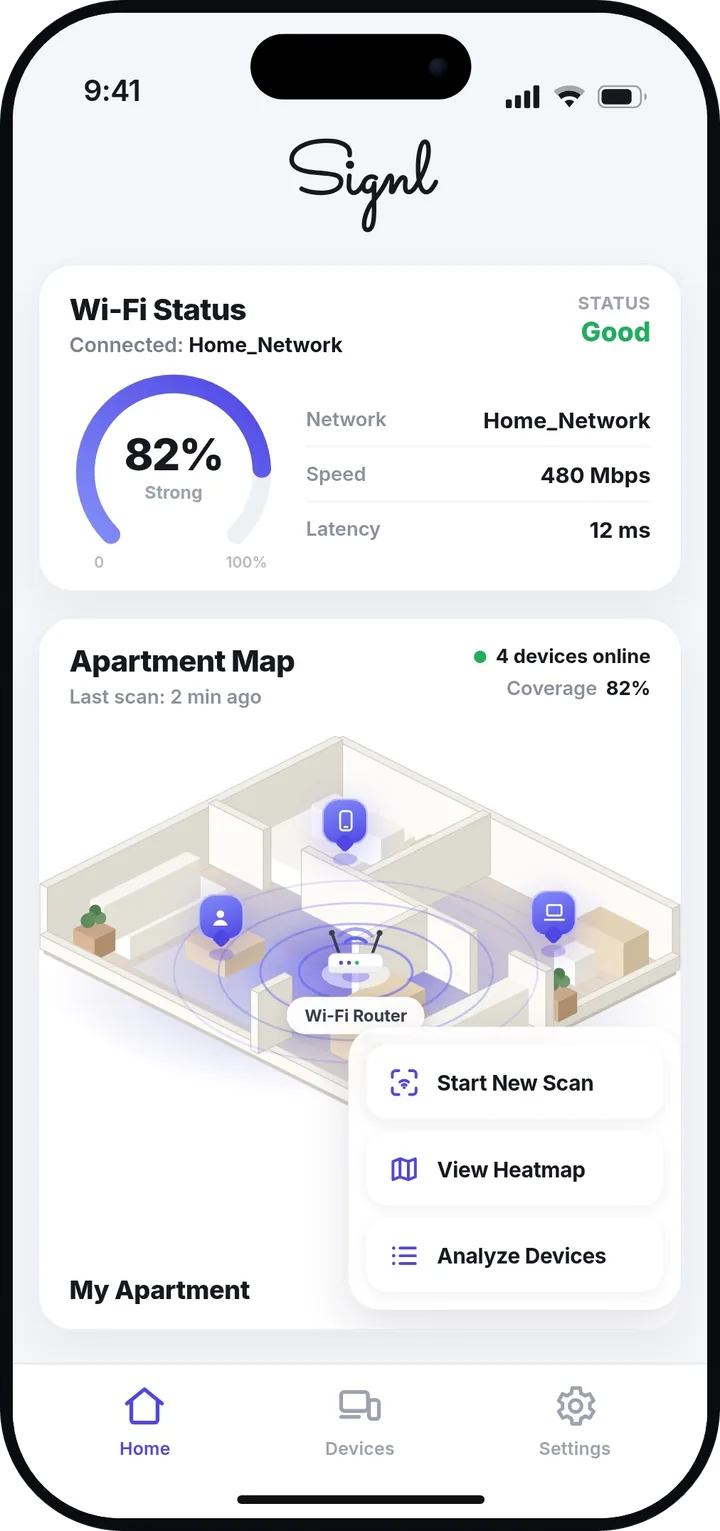
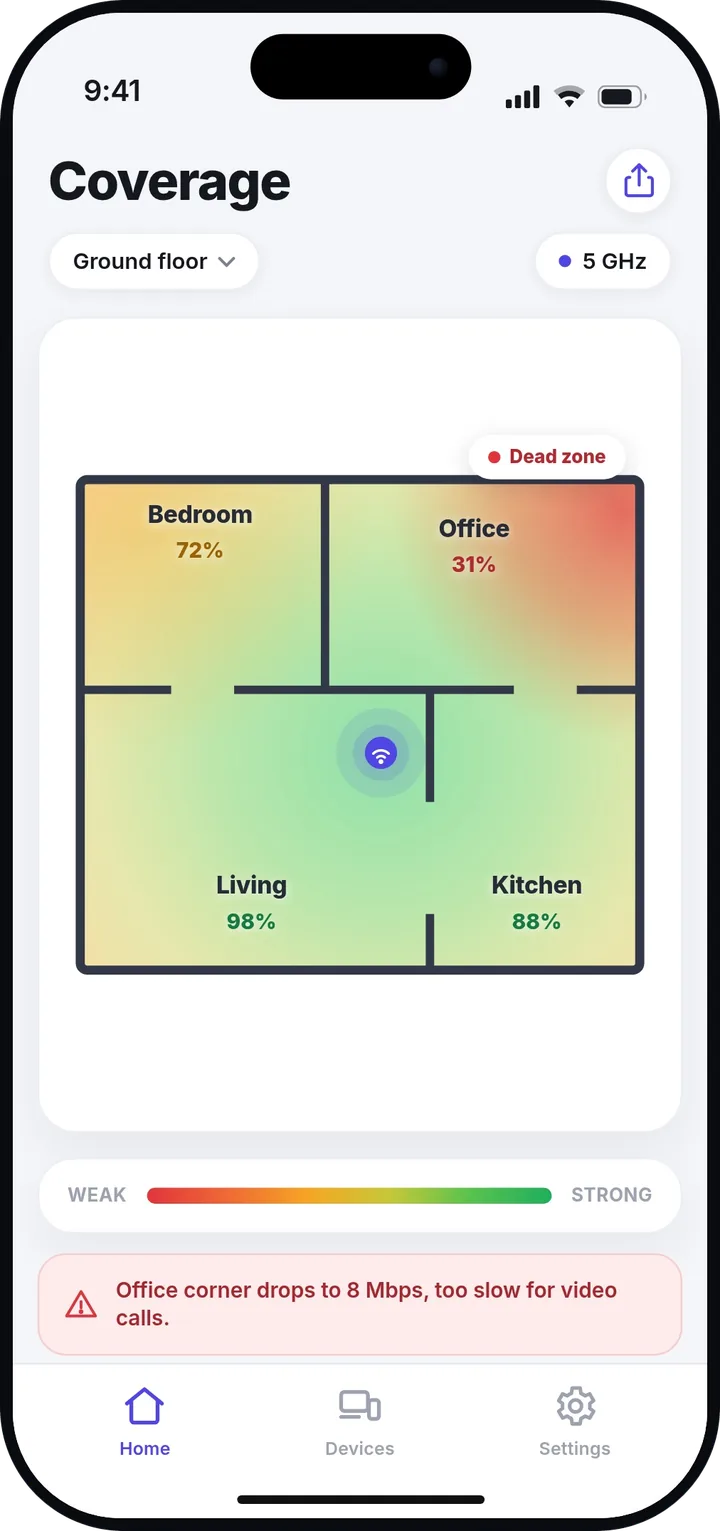
The Signl home screen showing a WiFi status card and a 3D map of an apartment with the router and connected devices. A coverage heatmap of the same floor plan. Living 98 percent and Kitchen 88 percent in green, Bedroom 72 percent in amber, Office 31 percent in red and flagged as a dead zone.
3 metrics in the standalone speed test
12 sec standing test in each surveyed room
Free to download, no account
iPhone iOS 18 or later

How Signl maps your WiFi, step by step

Four steps, from a room you have never measured to a survey you can hand to somebody else.

LiDAR capture

On supported iPhones, capture the home in 3D.

With a LiDAR-equipped iPhone, move through the home while Signl captures walls and furniture. On other supported iPhones, the app automatically uses a flat walked coverage map instead.
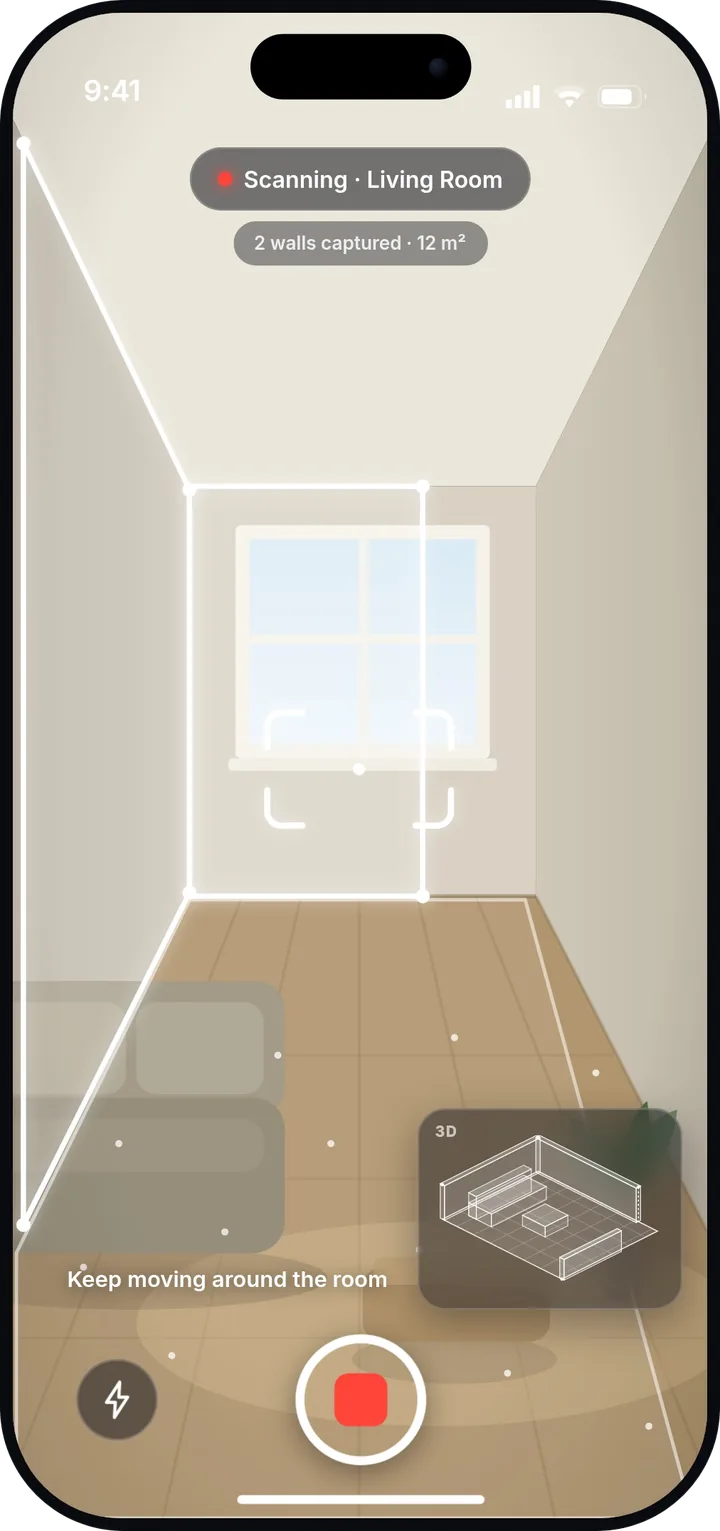
The Signl scanner viewing a living room through the camera, with the wall edges traced in white and a label reading two walls captured, 12 square meters.
Optional Pro workflow

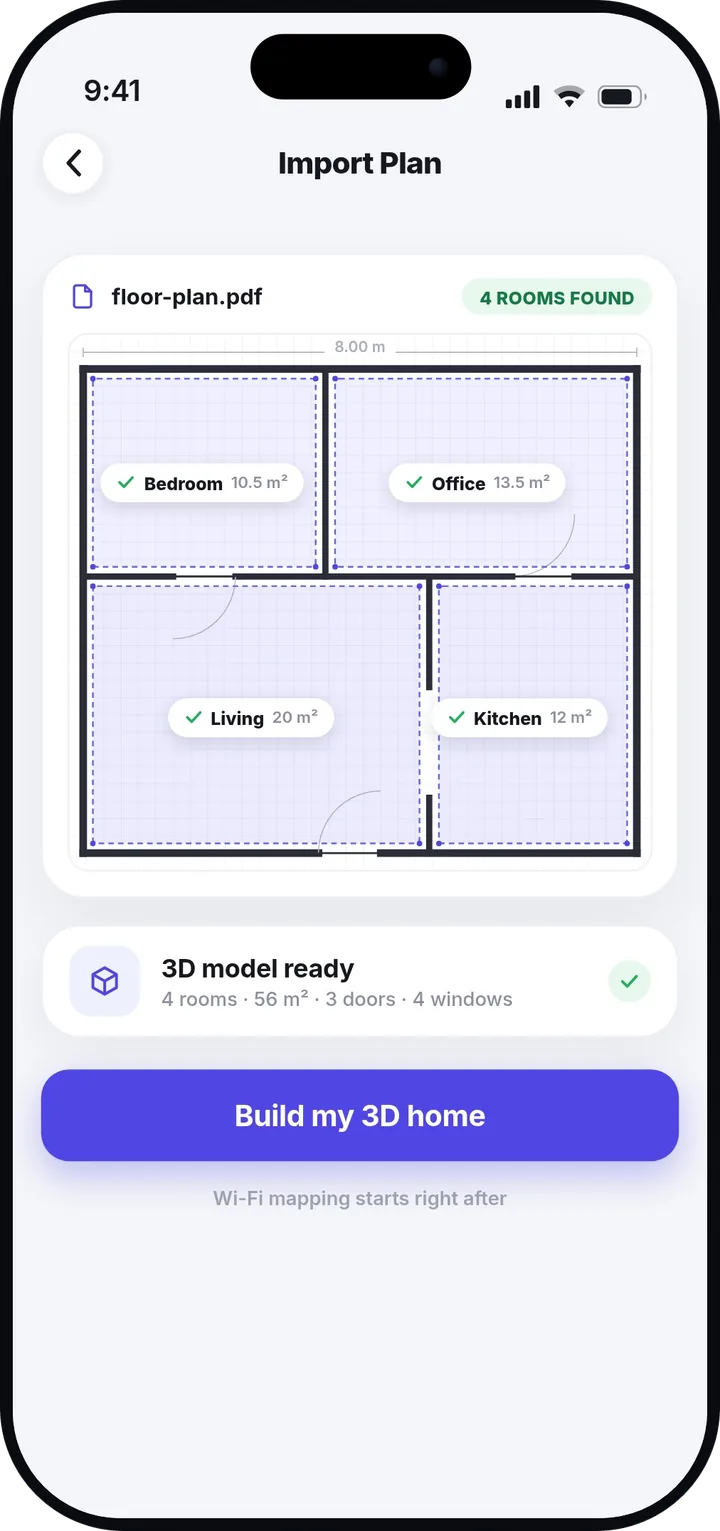
Already have a floor plan? Import it.

Snap a photo of your floor plan or drop in a PDF. Signl finds the rooms, the doors and the windows, then builds the same 3D home from that. Floor plan import is a Signl Pro feature, not a requirement for iPhones without LiDAR.

The import screen reading a PDF floor plan, four rooms found and outlined with their areas, and a 3D model ready card.
Live speed test

Numbers instead of a hunch.

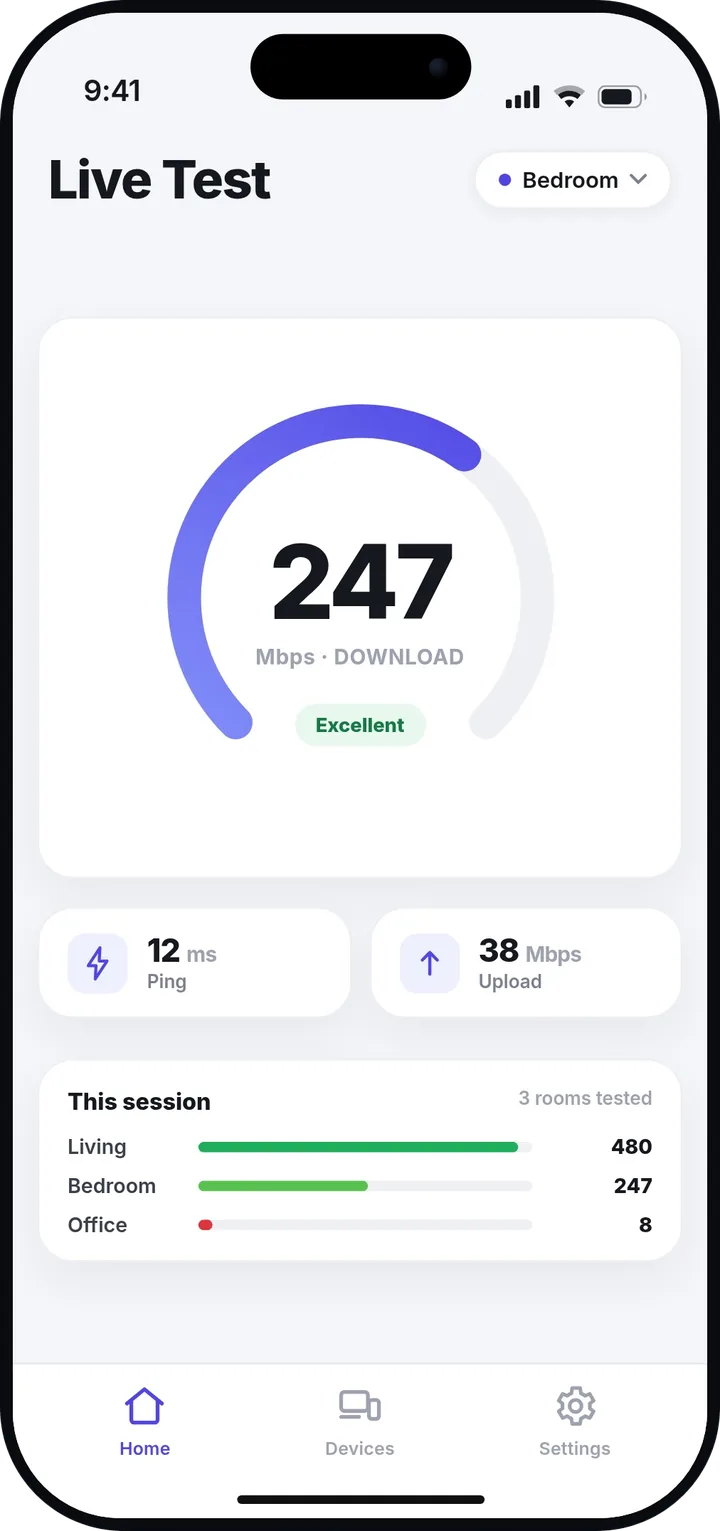
The room survey records download throughput and latency where you stand. A separate speed test also measures upload, so you can inspect all three without presenting an invented RSSI value.

A live speed test in the bedroom showing 247 Mbps download, 12 millisecond ping and 38 Mbps upload, above a per room list of results.
Export

Export a clear PDF report.

The report includes the home map, rooms measured, median and slowest download readings, median ping, sample count, recommendations and any saved photos. Share the PDF with the person helping you troubleshoot.

Signl

WiFi report · PDF

Your home

Rooms measured
Room by room
Download
Median + slowest
Latency
Median ping
Also included
Map, advice, photos

A WiFi analyzer that fits in your pocket

A survey tool that fits in your pocket and keeps your home to itself.

Your home scan stays on your iPhone

The AR scan and saved home map are not uploaded, and there is no account to create. Speed testing, anonymous analytics, subscriptions and optional plan import are explained separately in the privacy policy.

No new gear to buy

No plug-in sensor and no LiDAR are required. On iOS 18 or later, supported iPhones without LiDAR use a walked flat map; LiDAR models can add the 3D home capture.

It names the room

You get the room, the corner and the speed in plain language. "Office corner drops to 8 Mbps, too slow for video calls" is the kind of line Signl hands back.

Home score

A WiFi score for every room in your home

One score for the home, one for every room in it. Signl grades each room on what it actually measured there, then rolls the rooms up into a single number. In the scan on the right the living room scores 98 at 480 Mbps and the office scores 31 at 8 Mbps, which puts the whole home at 72. Best room, worst room, and a dead zone you can finally point at.

Excellent Fair Dead zone
The same home as a coverage heatmap, with the office corner in red.

Frequently asked questions

The ones we get asked most before anybody downloads.

Do I need an iPhone with LiDAR?

No. On a supported LiDAR iPhone, Signl can capture walls and furniture as a 3D home. On other supported iPhones, it uses ARKit to build a flat coverage map as you walk. Floor plan import is a separate Signl Pro option.

What do I actually have to do?

Visit each room and stand at the place you want to test for 12 seconds. Signl records download throughput and latency for that point, then maps and compares the rooms you measured.

Why does it ask for my location?

iOS gates access to the connected network's SSID and BSSID behind conditions that include location authorization. Signl uses that access to identify the network being tested, not to read signal strength or RSSI. Deny it and the network name may show as unknown.

What does it cost?

The app is free to download and there is no account to create. Signl Pro is available as auto-renewing yearly and weekly subscriptions. The App Store shows the current price for your storefront before purchase.

Does my scan get uploaded anywhere?

Your AR scan, home map, room names and saved WiFi readings stay on your iPhone. Speed-test requests, anonymous analytics and subscription status are separate technical flows; if you choose floor plan import, that image is sent for processing. The full detail is in the privacy policy.

Is there an Android version?

Not yet. Signl is iPhone only today. Leave your email on the Android page and we will write to you the day it ships.

Something else on your mind? Read the full support page

Available on the App Store

Name the room tonight.

You have been blaming that corner of your home without a single number to back it up. Map it once and get the answer that settles it.

Free on the App Store. iPhone, iOS 18 or later, no account needed. US pricing is 34.99 USD a year or 5.99 USD a week. Both renew automatically until cancelled. Other storefronts show local pricing. Manage subscriptions in your App Store settings. By downloading you agree to our Terms and Privacy Policy.